
I do have access to my VPS
Navigate to Settings -> Accounts -> Sign In Options -> Password -> Change
I don’t have access to my VPS
- Step 1
Please head to your Client Portal -> Services -> My Services -> Select your VPS -> Scroll down until you see the VPS Panel
- Step 2
Click on “Settings” followed by “Change Password”
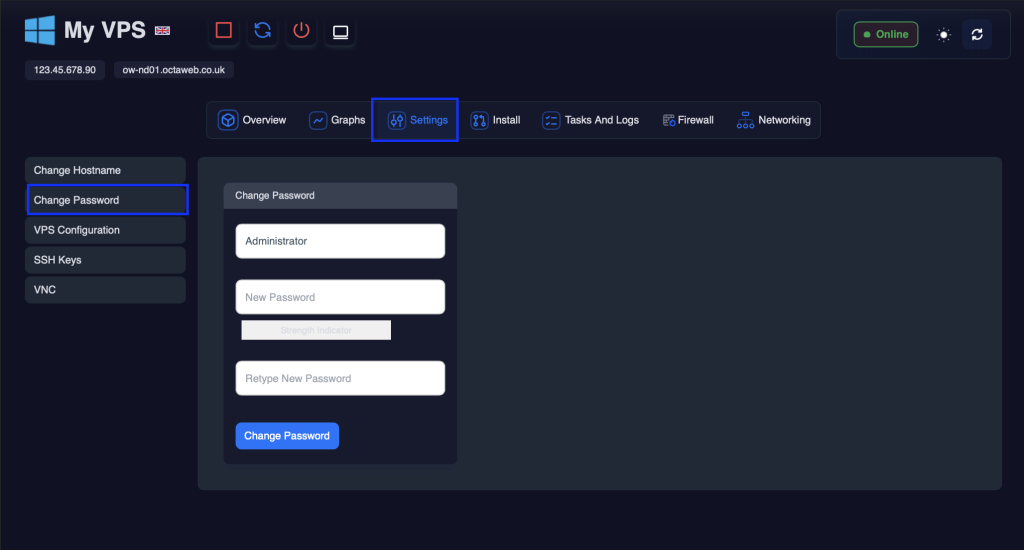
- Step 3
Input your new password and click “Save Changes”
- Step 4
You will then see the following message 👇
We must now turn off the VPS and power it back on to affect the password change.
- Step 5
First click the power off icon

Please then wait for 30 seconds.
- Step 6
Now press the start button